
Coronavirus Reputation Management

covid 19 makes online reputation even more crucial. 4 things to do now

Covid-19 Makes Online Reputation Even More Crucial. 4 Things to Do Now

Office Comes Home Conveying trust, competence, friendliness and other “real-world” attributes through an online reputation are crucial now more than ever.  Remember the “olde days” when you would go to a business office to work or meet a client for coffee? Now–and for the foreseeable future–things have changed: people work from home; businesses shifted to selling online; many school classes are remote; even birthday parties and weddings are on Zoom. We’ve quickly adapted (some more than others) to online-all-the-time, but some authentic questions remain: how do you engage with customers? What connections do you need to make to clients? How do you even get prospective clients if you can’t network or meet in person? Of course, in-person recommendations will not disappear, but they are on the wane at the moment for many since gone is “business casual” meetings or chatting in an office. Zoom, WebEx, or other forms of video conferencing are emerging alternatives. However, they are a poor stand-in for face-to-face meetings that often close the business deal. As people continue to make sense of this era, a new reality is forming around online-only connections. Most turn to Google. Hardly a replacement, but given the options, online searching is today’s reference check or way to get information about a business. As the importance of online reputations grows today, many businesses’ may suddenly realize their web presence might not be ready for prime-time. What if nothing shows up when a client searches your business? Or worse, what if there are negative links or articles? Given these times, a positive online reputation matters more than ever. Importance of Reputation Management Appearing authoritative in Google search results is a powerful way to attract prospective customers now (and anytime). They see positive links and articles as a sign of trustworthiness, making building a positive online reputation an essential business component. If Google search results reveal a minimal or poor online appearance, potential customers ask themselves, “are they really in business?”, “Can they be trusted?” or “are they unprofessional?” A poorly defined or unprofessional online reputation is deemed untrustworthy. However, when something negative appears on the first or second page of Google searches, this is a certain deal-breaker. Damaging posts made by competitors, “trolls,” or legitimate clients will immediately turn away new and existing clients who could move on to someone else. How to Quickly Build an Online Reputation Since people might not meet you in person, businesses need to convey trust, competence, friendliness, and other “real-world” attributes in their online presence. Essentially, match your web persona with your actual one. The best way to do this is by generating a constant flow of rich content in various forms with this in mind. Articles, blogs, videos, presentations, social media platforms, and your website should focus on personal trust-building. Generally, this is a long-term process. Building an online reputation often takes many months and should be an ongoing business tactic. But there are some things to do right now/today. Each task below takes some time to master, but it might take a few hours after a while. 1. Write Blog(s) Write and publish original blog posts. Start by addressing a current and compelling issue that your clients can relate to, such as how your business approach has changed or what new services you are offering to help. 2. Post on Social Media Post valuable information constantly to a range of key social media platforms. Be especially active daily on LinkedIn, Twitter, Facebook, Instagram, and other sites specific to your industry. Continue to directly engage with prospective clients across all relevant channels by sharing, commenting, retweeting, and posting their links. What to share? Things that resonate with what your clients are going through or experiencing. 3. Share In New Ways Seek out new ways to participate with others. For example, join networking organizations that have shifted to virtual meetings; schedule selective in-person meetings; pick up the phone more; and as always, be open and helpful to everyone you come across. 4. Update Platforms If necessary, update various platforms with new information. The smart idea is to add Zoom links or meeting numbers, phone numbers changed working hours, and new services to wherever clients normally connect with you, such as on your website and social media platforms. Also, be sure to refresh your email signature with virtual meeting links, etc. Conclusion While many business approaches have changed, keep the focus on your online reputation. Information found in Google searches is a major consideration to hire you, confirming that you are professional, experienced, and truly helpful. Deliver value and connect in meaningful ways by assembling content that illustrates your credibility. When clients see your positive web presence, they feel more comfortable choosing you to work with over a competitor, especially if it’s impossible to meet in person.

Covid-19 Makes Online Reputation Even More Crucial. 4 Things to Do Now Read More »
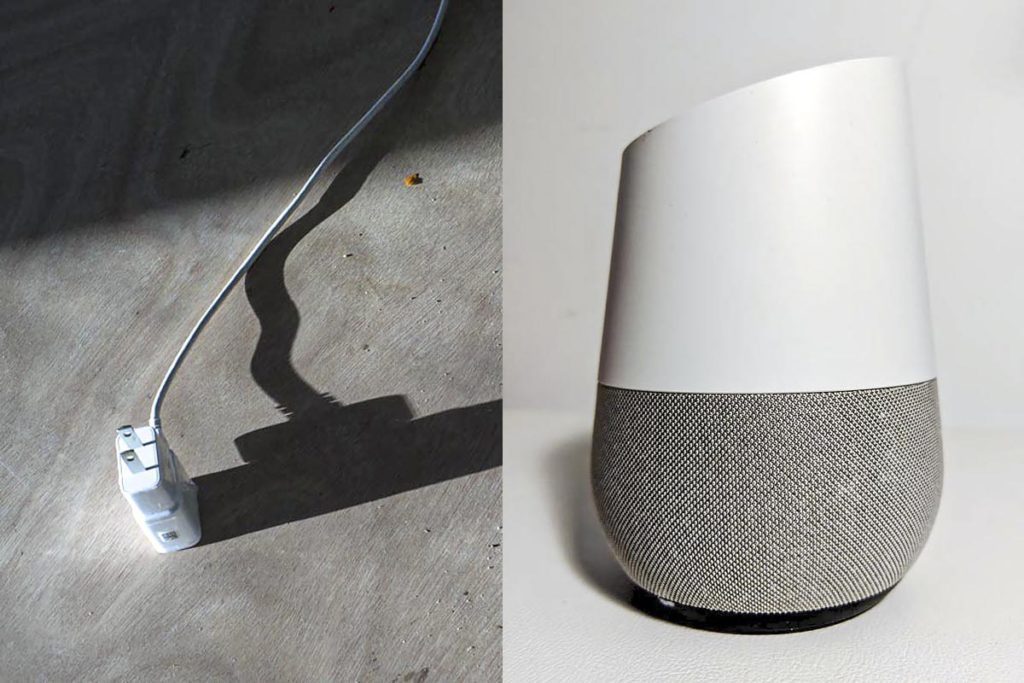
7 ways video conferencing can damage your online reputation @recovreputation

8 Ways Video Conferencing Can Damage Your Online Reputation @recovreputation

Here’s How to Avoid Damaging Your Online Reputation Using Video Conferencing While Working at Home Remember the kid that wandered into his father’s live BBC report? Cuteness erupted, and a viral moment was born (with 38 million views and counting). But not all viral video streaming moments are the same. You also might have seen the recent video of the woman not turning off her camera while taking a bathroom break or the “Zoombombing” troll interrupting a meeting by streaming pornography. Some online faux pas are innocent, humorous, or forgivable. But video conferencing moments can turn embarrassing, cringe-worthy, and damaging too. As many people and businesses shift to remote conferencing tools, unexpected interruptions can easily turn viral for the wrong reasons, damaging your online reputation. How? The camera or sound could be on, capturing something it should or shouldn’t. This then can be shared online. While the family dog jumping into camera range could be a welcome diversion and initially forgivable, it or other things could damage your web reputation quickly. Seemingly small distractions can have a large impact since they make you look unprofessional or careless. However, other interruptions or embarrassing moments could be much worse, risking a deal or losing a client.  These negative moments could be shared online afterward. Screenshots, video grabs, comments, chats, and audio recordings could be posted deliberately by competitors or online “trolls”. As they show up in Google searches for you or your business, your reputation could be severely damaged. By the way, even “positive” viral moments can be damaging. When searching on Google for Robert Kelly, the professor in the viral kid moment in 2017, the first pages are full of this clip. Yet what he is known for–his political expertise–is not evident. What if it was your business and your specialty became buried online? It could be a major problem. 1. Embarrassing Sharing Working from home can provide embarrassing moments. Your spouse or kids might innocently walk in the background; some people might be tempted to wear “business professional” clothes within camera range but have shorts or PJs on below and when reaching for something, you might expose yourself; or worse, you might be tempted to walk with your laptop or phone to the bathroom, forgetting you are on camera.  Stay professional at all times and assume the camera is always on to avoid problems.  2. Inadvertent Web Sharing Sometimes you might share your desktop screen. What if it displays embarrassing imagery or websites? Maybe you were shopping for shoes but forgot to close the browser window, were in the middle of applying for a new job, or had banking information open for other participants to see? Don’t forget that web browser tabs can be seen too. Close down everything on your desktop before starting a video meeting.  3. Screenshots People attending teleconferences can easily take screenshots from their phone or desktop. Screenshots can capture seemingly normal moments but taken out of context can look awkward or embarrassing, such as a shot of you mid-yawn or a slide presentation that seems deceiving.  Screenshots could be taken by a colleague who thought it would be innocent fun to post on social media. However, they could be made by a competitor who wants to leak proprietary information or a troll looking to purposely damage your online reputation.  There is no real way to prevent screenshot grabs so try to be professional at all times. If necessary, you might be able to remove an image due to copyright violations. 4. Video Recording and Sharing Similar to the above, people can capture the video of the conference using third-party recording tools. Some might have good reason to record the event; others see an opportunity to share snippets or parts to post online later in order to damage your reputation. Also similar to above, it is not possible to prevent video recording but if posted online, you might be able to delete the video. 5. Background Noise Be mindful of background noise. This could be distracting as well as embarrassing or worse, depending on the sound. A radio turned on in the background might have a host sharing a particular political view that others might find offensive; a smartspeaker might turn on; a spouse might yell out not realizing you are streaming. Check around the room and make sure everything is turned off, including your cell phone, radio, television, smart speaker, timers, dishwasher, clothes dryer or anything else that might make noise. 6. Outside Interruptions The doorbell can ring, kids can come home, handymen may walk through, a delivery happens. This can be distracting for other participants and appear that you don’t care or are unprofessional, especially if shared online.  Find a secluded environment to hold your video conference. Head to your basement, a spare room or even garage if you have one; if not, head to a quiet corner and be ready to use the mute button quickly. 7. Not Controlling the Meeting Always take appropriate steps to lock down your meeting to avoid problems, especially if you are administering the video conference. Trolls and others are looking for ways to disrupt discussions. They can do so by taking over, creating noise, uploading virus-filled files and by screen sharing inappropriate messages and video. Also, participants–including yourself–could inadvertently mute or unmute the wrong person, turn off sharing, make mistakes or cause other problems. Be sure to be familiar with your administrative tools and lock down your conference to prevent potential problems from others in and outside the meeting. 8. Chat or Comments Become Public Chat or real-time comments during a video conference can often be extremely helpful. However, a private message becoming public could be a problem. It might be tempting to write a comment to another participant during a teleconference but if you hit the wrong button and unintentionally share it with everyone else, it could appear unprofessional or damaging–especially the transcript is recorded and shared. Refrain from unprofessional comments or chats at all times.

8 Ways Video Conferencing Can Damage Your Online Reputation @recovreputation Read More »

Coronavirus Can Impact Your Online Reputation. Here’s How

6 Ways Coronavirus Can Damage Your Online Reputation What happens–God forbid–if someone in your business comes down with coronavirus after a client meeting? Get help, of course. I live in New York, and yes, COVID-19 is a natural, scary thing happening right now (a colleague I know in New Rochelle could be sick).  But, what next? Businesses need to survive and people need to live. Do you shut down the whole office? Should you warn everyone you met?  What happens when word of this spreads–hide it or share it openly? Pondering the larger ramifications for a moment, COVID-19 coronavirus can damage your online reputation in ways you’ve probably never thought of. Here’re six ways how. 1. Someone Gets Sick in Your Office If you or someone in your office is sick, I hope they get well, since this is paramount. However, after health is taken care of, consider how this might impact your online reputation. Instead of LinkedIn profiles, Wikipedia articles, awards, white papers and other positive links, a client or prospect searching for you in Google now could instead see references to coronavirus. This could swiftly wipe out any positive web presence that’s taken years to build. Further long term harm might come in the form of an online stigma linked to your business or brand.  Be transparent at all times. 2. You Do Nothing No one wants to contribute to expanding coronavirus but doing nothing can make things seemingly worse. What I mean is if everyone is telecommuting for example, but you are keeping the status quo, it could be perceived that you don’t care about your employees or your business.  Ignoring COVID-19 could make things seem worse. Instead, be proactive and convey what you are doing–just like you should be doing at all times online. 3. Your Name Is Related It might be more of a long shot, but something to consider is if your name is related to “coronavirus”. A beer brand comes to mind, but other name variations could be directly or indirectly problematic. This includes brand phrases, online nicknames or other commonly-used terms that you might post online but could seem inadvertently insensitive or worse. Consider pausing them. 4. Tone Deaf Messaging or Worse Your social media posts could be indifferent, tone deaf or simply wrong in response to the virus itself and the news surrounding it. Don’t post dystopian views with cutesy/snarky captions; avoid the mention of “viral marketing”, for obvious reasons; be mindful over everything you put online.  Even if you have no relation at all to coronavirus, your online reputation could be damaged by posting the wrong thing. You might have to change how you do business, unfortunately, for weeks or months. 5. Not Preparing Well For Coronavirus Purposely ignoring CDC COVID-19 recommendation by announcing team-building gatherings and sharing this online is not a good idea, since it could be seen as irresponsible (something you shouldn’t be doing in the first place). Of course, don’t mock or belittle someone else’s suffering. Use common sense when sharing on social media: if not you risk the wrath from others, which might be justified. Now is the time to review your online reputation strategy. 6. Your Online Reputation Building is Paused Your reputation building strategy might be paused during the coronavirus crisis. Don’t let this happen, if possible, at least during the long-term. Continue carefully posting across social media platforms, writing blogs and uploading images as you’ve always done, just be a bit more careful not to say the wrong thing.

Coronavirus Can Impact Your Online Reputation. Here’s How Read More »

Scroll to Top